Yes, another post about a failed audition

Hey everyone,
This was my first attempt at joining VoiceBunny, so I was expecting this a bit.
My audition was rejected because it had too much room echo and reverberation affecting the recording.
Here's the original:
https://www.dropbox.com/s/eiwl4waezon8fvr/VoiceBunny_BrianBehrens.mp3?dl=0
I know, I know.
I went through the tips listed on this site to try to rectify this. I think the new setup sounds better, but my ears aren't well trained when it comes to reverb (obviously) so I was hoping you guys could give me some feedback on the update.
https://www.dropbox.com/s/0ji6oy3co8uqg8k/This%20is%20a%20test.mp3?dl=0
Thank you all in advance for your time and criticisms! I can't wait to have another go at the auditioning process!
Please sign in to leave a comment.
Hi Brian!
The second recording sounds so, so much better! Really. The recording sounds a bit boxy and there are still some reflections. I suggest you review your mic technique and adjust the positioning of your microphone in the space. This could help a lot with the boxiness and the extra reflections.
I'd also suggest you review which surfaces you still have nearby that could be reflecting a lot. Keep in mind the materials are quite important. For example, glass, metal, and plywood are very common and are quite reflective materials. You may want to review the option of covering those and pay attention to how your audio could be bouncing.
Hey Brian,
Yes the 2nd attempt does sound tons better. What mic are you using and how is it positioned? Maybe post a pic of your setup including the mic position?
Don't give up, it can all get better without spending a small fortune.
One quick suggestion: perhaps use towels spread out over your desk surface and/or any hard reflective surfaces nearby if you have not done so already.
Another thing than can be a problem: the computer screen itself. If not positioned right, it can send close-order sound reflections right back into your mic, cause that boxy sound Angela referred to.
Hey guys, thanks for the feedback, sorry my response took so long. Below are some pics of my setup (it's a little janky I know) but it's basically a closet that I stuck some acoustic foam in. The microphone is a Sennheiser MKH460 so you know it picks up every little thing (fortunately and unfortunately). I still feel like a bit of a deer in the headlights with regards to getting the right sound, because I still have trouble determining whether my audio has reverb and what I should be changing. I tried moving the laptop and preamp out of the way but that didn't seem to do much. If you need pictures from different angles I can oblige (hopefully a lot quicker this time).
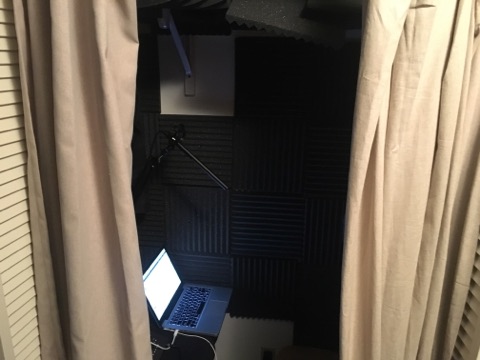
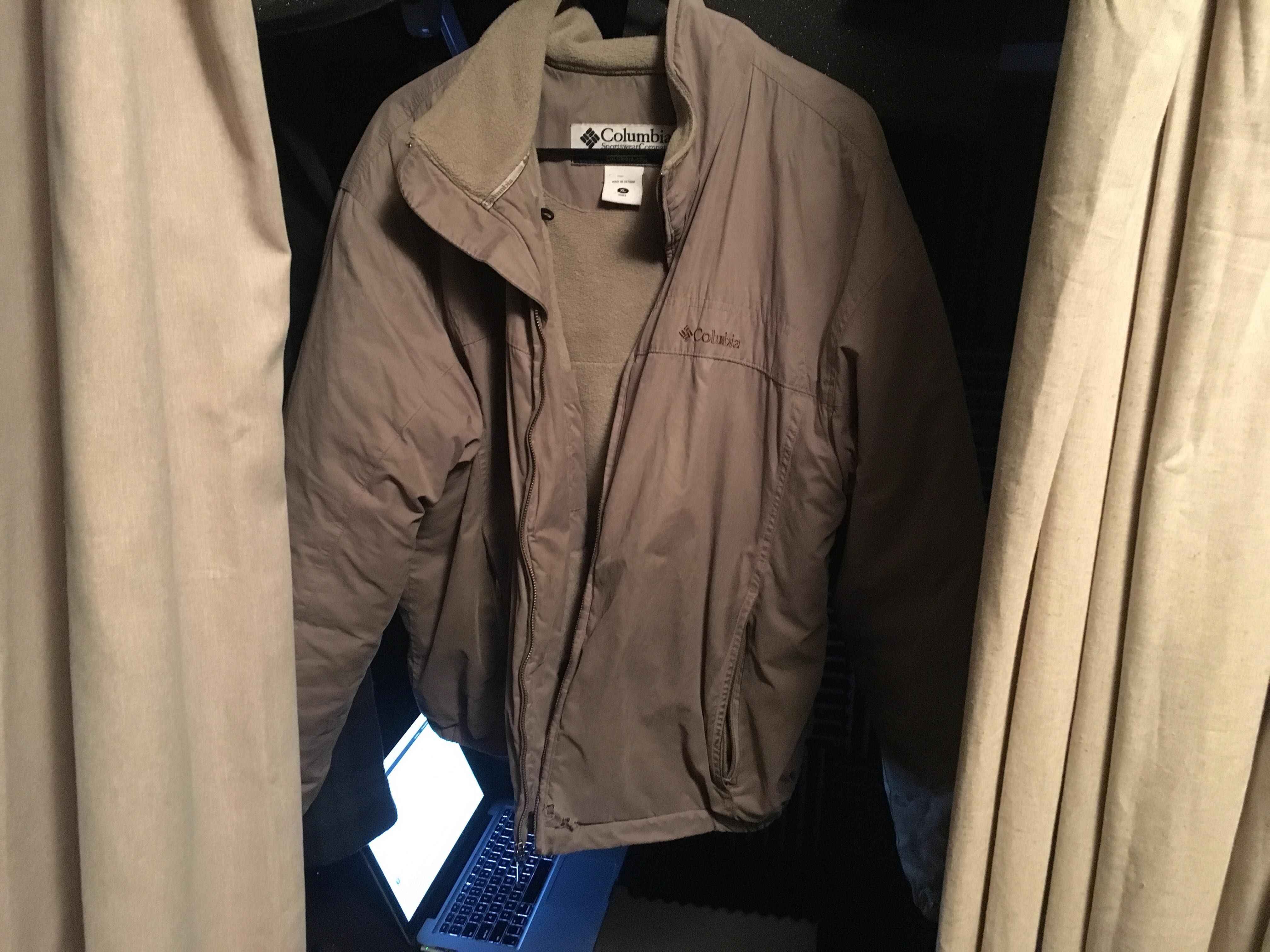
Looks like a good start. Are the curtains a thick or thin material? Hard to tell from pics, but thicker is better. Do you have a new test recording?
https://www.dropbox.com/s/qgy5edapvkfd11n/Any%20Ideas.mp3?dl=0
^This is how it all sounds with the current setup after adding a noise gate at -60 and normalizing audio to -3 (I am also using an Apollo Twin preamp with a UA-610B Plug-in and an LA-2A L Insert)
https://www.dropbox.com/s/cdafelsvfgbrcxz/Any%20Ideas%20Post.mp3?dl=0
^This is how it sounds after putting it through what I usually put it through, which is a de-esser, parametric EQ, and a hard limiter.
Any suggestions based on this new info would be greatly appreciated, I've been trying to do research independently of this but am having trouble either finding info or understanding it if I do find it.
Hi Brian,
This is way better than it was.
Per the computer screen, remember the old "angle of incidence equals angle of reflection" from physics classes. If the screen is aimed directly back at your eyes, and the mic is close to that point, you might get some reflection off the screen. Try angling the screen up higher so the reflections go over the mic rather than back toward it, if that makes sense.
The MKH460 Sennheiser is a hyper-cardioid shotgun if I remember correctly. That should be good. Are you placing the mic above your head and aimed back down at your chest? Doing that will help minimize close order reflections off that ceiling, rather than placing the mic below and aimed up.
To me the sound is good but a bit mid-rangy. Great for film work, and can certainly be used for vo. If you have it aimed at your mouth and it's too bright, try aiming a little downward toward your chest. Main thing, experiment with position til you get a sound you like.
That -60 noise gate setting seems kind of radical. Is that because you still have noise getting into the room? Just curious. I use a gate, but just to knock it down about -10 during breaths and pauses.
For sound blankets you can use inexpensive moving blankets, but for a little more, the VocalBoothToGo Producers' Choice blankets are great, reasonably priced, and have grommets to hang easily. [Sounds like I'm selling, but I have no connection to the company.]
Eager to hear what others think of the new sample. For me, I'm hearing a whole lot less room reflection.
Keep up the good work,
Joe
Brian, forgot one thing...
Roxul (rock wool) 2' x4' batts are killer acoustic treatment and WAY cheaper than the commercial pre-made baffles you find online. You'd probably want to cover them with and acoustically transparent fabric, but something cheap like muslin works as well as anything. Many many studios use this sound treatment for walls and ceilings.
Roxul is far more effective than fiberglass insulation rolls, and doesn't get into your skin like fiberglass bats do. In my studio I use both fabric covered Roxul batts and sound blankets. Makes for a very quite room.
Hi Brian
Thanks for sharing! The recording really sounds much better now, really. There are still some reflections but it does sound much better. Also, the recording without any post-production is the best for me. We prefer 100% raw recordings so I'd advice trying to go for a clean sound without the need of any extra plugins. I know the first take did have some production, but would you mind sharing a 100% raw one? The one you shared doesn't sound too processed, but I'd like to see how it is!
Aside from that, I agree with Joe's comments. You could try reviewing the curtains and see if you can get them to be a bit thicker. Also, you may want to try getting the computer out of the booth and get your scripts on a tablet, your phone or even a piece of paper. Computer screens can be quite reflective so it may help!
https://www.dropbox.com/s/ub35gqtjlqj7m8g/Raw%20Test.mp3?dl=0
Okay, this is a 100% raw recorded file, I hid the laptop and preamp underneath the desk they were sitting on (the desk has a towel on it to dampen reflections as was suggested earlier) and I've got the recording volume at a level where my vocals are mostly reaching yellow, barely touching red, and I can just barely hear any ambient noise in my headphones. (Or as I eloquently put it in the recording "I can barely hear the outside")
Hi Brian,
This sounds really clean. My old ears can't hear any ambience. This is just my personal opinion, but it still seems a little sibilant/bright. It may be that Sennheiser mic - they really shine on location / film / boom pole work because they have that upper mid range bump around 2k or so.
Curious to hear what Angela and other think.
Best,
Joe
Hi Brian
At the beginning and on the silent areas there's a strange digital sound as if there was a processing added. I know you mentioned you didn't so I suggest you edit the recording to remove breaths and to reduce the volume of silent spaces where there's no audio. Can we try that? I'd also recommend lowering the gain a tad more.
There are still some reflections, but they are minimal. You can pick them up when you say "I've got the laptop..." sentence mainly but the other sentences are much cleaner. Maybe you moved there? You can try to point the microphone off axis and not to the center of the space an try to relocate yourself. This could also help to make the reflections and/or sound more consistent maybe.