There are still some editing issues, same as I mentioned in your previous post. There are editing jumps which happen when you don't use fades. Just at the beginning of this file there's a big click (could be prevented using a fade-in), there's another noticeable jump at 0:14 after "flooring" (could be solved using a crossfade), and then at the end after "you" (could be solved with a fade-out).
These are minor issues but we prefer to receive files which are ready to use by the client
Hi Dee, the same issue is still present. I've attached an image of the problem as it can be seen (on any editor you should be able to zoom in enough to see it).

Thank you Dee.
I've asked Sebastian to evaluate it as he's in charge of reactivations.
Best,
Oscar
Hi Dee,
There are still some editing issues, same as I mentioned in your previous post. There are editing jumps which happen when you don't use fades. Just at the beginning of this file there's a big click (could be prevented using a fade-in), there's another noticeable jump at 0:14 after "flooring" (could be solved using a crossfade), and then at the end after "you" (could be solved with a fade-out).
These are minor issues but we prefer to receive files which are ready to use by the client
Hope that helps.
Here is the revised sample.
Thank you
https://we.tl/t-0BNWbW4iTV
Thanks Dee
I've noticed a strange blow-like sound at the very beginning "reFREsh...". I also noticed a clipping after "31st..." at 0:05
Let us know once you've solved the issues
Regards,
Oscar
Hi there!
Here is another sample.
https://we.tl/t-RNKjzZQLyw
thank you!
Hi Dee,
There's still a jump after "first". Make sure to apply a crossfade in this edit point so the editing cut is not noticeable.
Hi there!
Here is another sample.
thanks so much!
https://we.tl/t-rRZR2GHZLk
Hi Dee, the same issue is still present. I've attached an image of the problem as it can be seen (on any editor you should be able to zoom in enough to see it).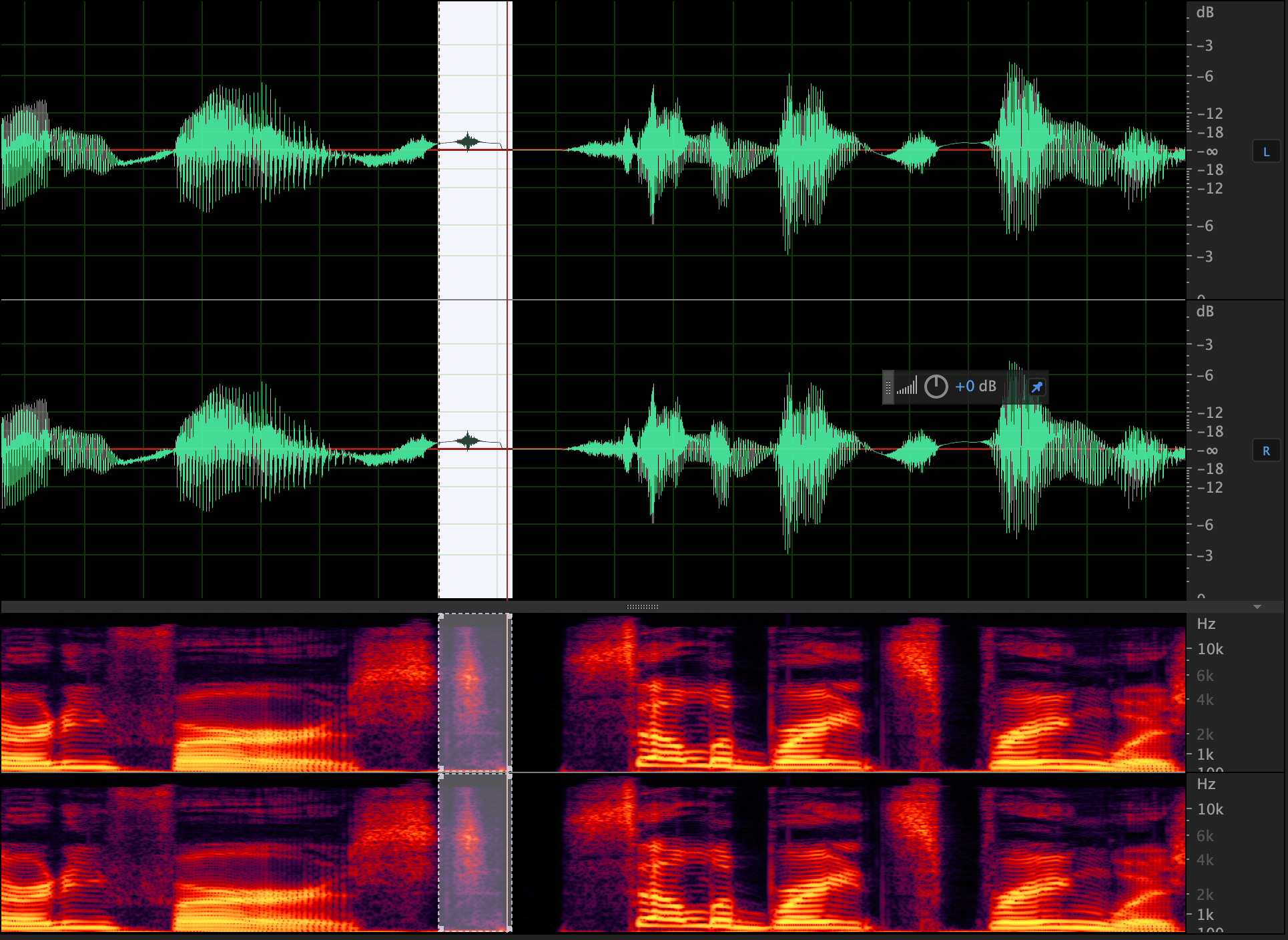
Hi Dee,
Since it's not a major issue, we've now reactivated your account. Just be mindful of editing jumps and cuts.
Use fade ins and fade outs at the start/end of lines and use crossfades when editing two different takes together.