how do i remove slight echo?

i'm using Audacity with a USB Apogee Mic Plus with the gain all the way down.
Noise Reduction = 25
Sensitivity = 12.00
Smoothing = 3
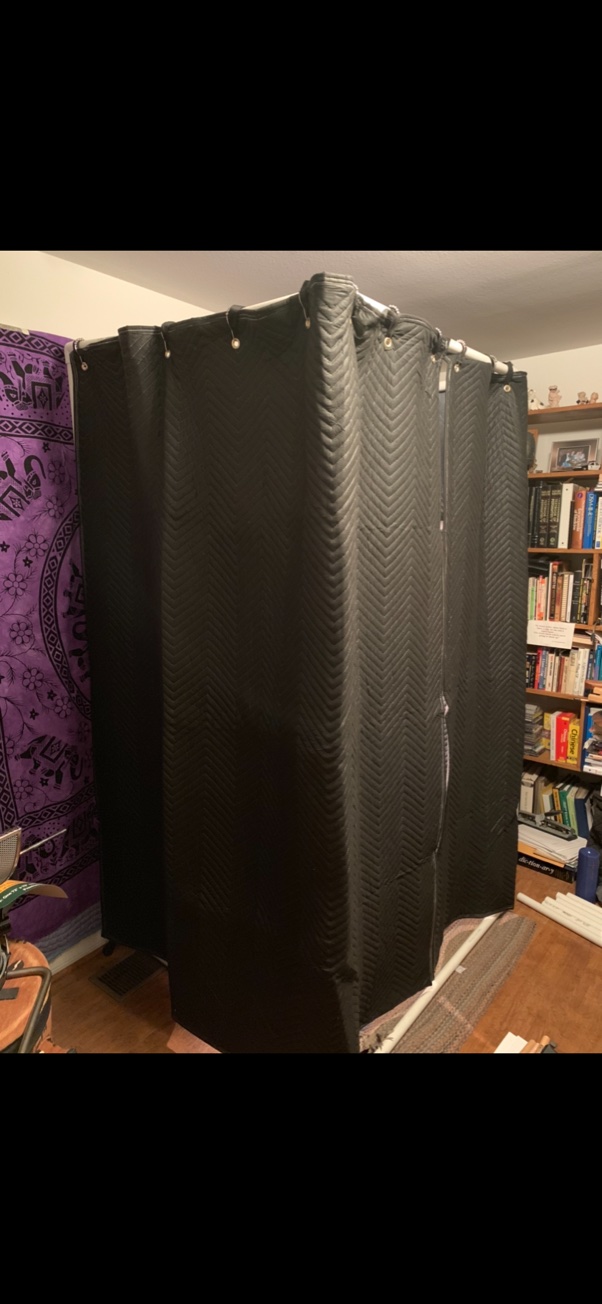
my booth is internally surrounded on 4 sides by sound blankets...it's pretty dead. i don't hear the echo in playback but i wonder if there's a setting i can change.
thanks for your help
Please sign in to leave a comment.
https://www.dropbox.com/l/scl/AAA5zVMRFQrvfaztr0ALDKe3IIVsCC_JAdE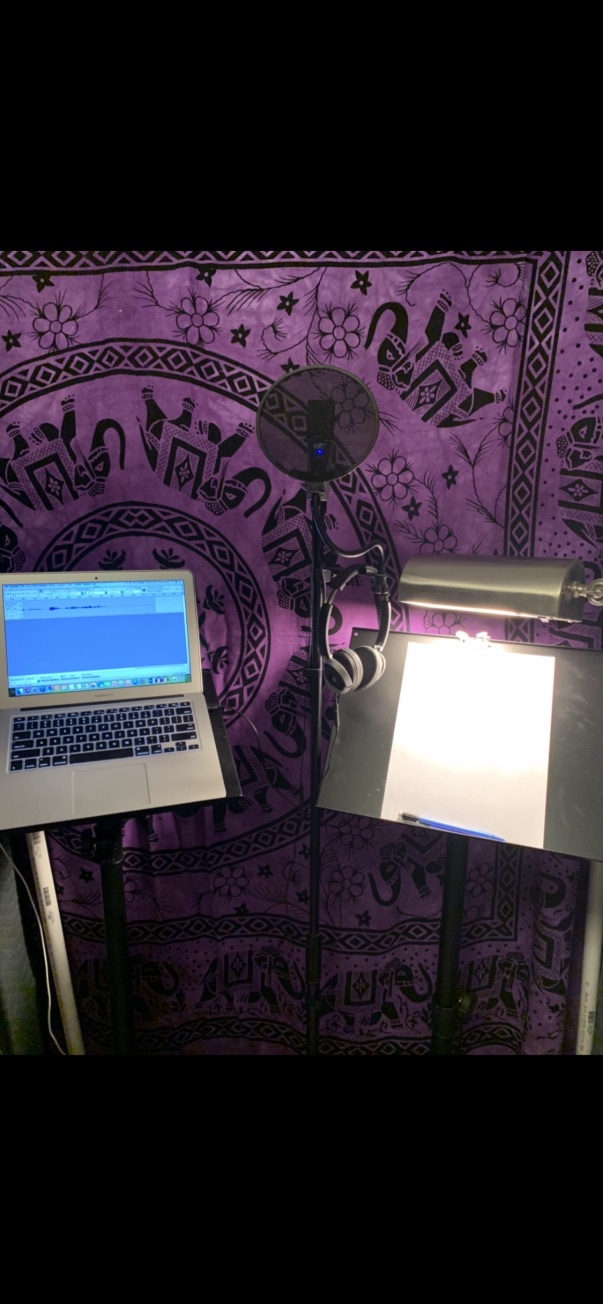
Hello Chas! Thank you for participating in this Community! :-)
I could not open the Dropbox link :-( ... Could you please share the audio with an alternative means?
As far as I could tell by looking at the photos ... Have you treated the wall (i.e., behind the fancy looking scarf), as well as the ceiling?
Best regards,
Oki
Hi, Chas!
Thank you very much for granting the access to download your sample, María had already shared a similar one with us before but we appreciate you making the .wav file available for us to review.
At this point I need to ask you for another favor: could you please share with us a new file recorded at the maximum quality your mic allows? Bunny Studio does not recommend the use of USB mics for professional recording, but I still would like to evaluate what that Apogee of yours can produce. Please leave the sample completely raw, as my biggest issue with your present recording would be that the noise reduction is completely quashing your voice and generating digital artifacting that prevents us from properly evaluating the level of reverberations present in your environment at the moment.
I would also recommend you placing the mic in the corner of your recording space instead. This may help mitigate the present echoes due to the elimination of parallel surfaces that usually cause sound issues.
Additionally, please try to download Reaper, Adobe Audition or Protools First, as Audacity's audio processing engine is not really the best for pro-quality work. Reaper is offering a 90-day trial with the option to purchase a long-lasting license for a very affordable price. It also allows for simple sharing of project templates, FX Chains and other tools we can help with developing for you to simplify your workflow. Audition has a marvelous spectral edit pane which is an amazing tool when 'cleaning' up audio files and Protools First (even if it's a free version) is just an industry standard. Learning to use these tools will make you a top-notch self-produced pro!
For your new sample, you can use the same script and to go the extra mile, try recording one with the present mic placement and one with the mic in the suggested location, as this would help us a lot in determining a course of action for the physical mitigation of echoes if required.
Thanks again for your efforts!
- Héctor Adolfo Ituarte (Bunny Studio QC Agent)