Feedback on audio quality

Hi,
I would first like to appreciate and thank the support team for letting me know why my audio test was rejected and what could be done to improve. I have got a professional microphone with a pop filter and have tried again. Would like to know if the audio quality is better now so that I can reapply.
Warm regards
Bhumikahttps://drive.google.com/file/d/1pISc8NMF9hCs6vsy3YuRFCXZLS4BUgVS/view?usp=sharing
Please sign in to leave a comment.
Hi Bhumikah,
Thank you for reaching out!
We tried to access your file but it seems we don't have permission. Do you think it's possible to have it open to anyone with the link?
Looking forward to your reply
Thank you Johnatan for your response. Sorry that the link was not accessible. Kindly check the below one.
https://drive.google.com/file/d/1S48MiyBiZKRxtwFlSBuQcjPTwVGE2iSD/view?usp=drivesdk
Thanks,
Bhumika
Hi i have worked on the room noise with your guidance and have made few samples. Used Audacity and the formats you had mentioned. Kindly listen to the files and let me know if the problem of audio quality is sorted so that it will help me with reconsideration application.
https://drive.google.com/file/d/1qKX9itrqA43-Si2aFsLb52VecKKllAsM/view?usp=sharing
https://drive.google.com/file/d/1MsqzperMhhIOmJsT83lvnBIJg4JSw-X5/view?usp=sharing
Thanks.
Hi Bhumika,
Thank you very much for those samples.
Upon reviewing them, we found that there are some issues with hiss noise, over-processing, and room acoustics.
We think that a great way to understand what our team considers as a good recording is to give you an example, please, listen to the following sample and let us know if it gives you a better understanding of the end goal of these recordings:
https://bunnystudio.com/voice/samples/171251/
These following articles might help you with those issues mentioned earlier
Hiss noise
Acoustics
Let us know if this helps
Hi Johnatan Sanchez,
Thank you very much for your guidance and the articles you provided for help. Being new to voice acting/overs, I am extremely overwhelmed and surprised by the support bunnystudio team is providing by reaching out to all queries. Your articles and suggestions are definitely helpful and I am definitely learning a lot but not sure if my attempts to apply the learning has been fruitful.
https://drive.google.com/file/d/1fQBpzSlFuJ8Y8kzm2Z4h90r-TZNCG4Jz/view?usp=drivesdk
Here is a sample that I have tried after going thro the articles you mentioned.
Thanks
https://drive.google.com/file/d/1fQBpzSlFuJ8Y8kzm2Z4h90r-TZNCG4Jz/view?usp=drivesdk
Hi Bhumika,
Thank you very much for all your kind words. We do want you to feel important and to help you solve all of your questions.
It seems we still have some way to go and cover with your work. How would you feel about sharing pictures of your recording space with us?
Also, we'd like to know your recording and editing process, it will help us bring up with better suggestions for your particular environment.
Let me know what you think about this
Hi Johnatan
Thank you for the support. I have a cardioid condenser microphone with a pop filter and I use audacity to record. Post recording I just do noise filtering once and upload the audio as specified by bunnystudio. I have noisefloor at -40db (probably a default setting in audacity) and whole recording I have noticed microphone mic audio peaking with only green and not red marking.
Also after going through your articles I guess I have kind off been better at avoiding hiss; tried various setups and Mike positioning. Downloaded Krisp software and chose krisp microphone in audacity settings which probably has helped with noise (I mean you can only tell if that has helped). The issue now I face is with clicks and plosives that am trying hard to avoid as I do not want to edit post recording.
https://drive.google.com/file/d/1uhldJbzAsMerWZFqE9QrLYMG0Y0Aw-nB/view?usp=drivesdk
And yes here are the pictures (don't mind... will look messy)
https://drive.google.com/file/d/16au3e-d2Hd4qVh1vbie2DQ7jRXDpPOEs/view?usp=drivesdk
https://drive.google.com/file/d/16dSBj3_WMj5cTXzetFANwI_aZcJB6_4R/view?usp=drivesdk
https://drive.google.com/file/d/16kKhpshDYLyk0Mt4iPq70DFz0tU1tYQg/view?usp=drivesdk
https://drive.google.com/file/d/16qL2FjdIB9mv9QJ85HlmIww0JGA9q8Y3/view?usp=drivesdk
Your inputs and suggestions will be valued. Thanks.
Hi my above post has pictures of my workstation and below are links to my voice samples. Kindly ignore the voice samples in the above post.
https://drive.google.com/file/d/1KnMcTV0pHywbZS5a3zACTzSHD_n69ivR/view?usp=drivesdk
https://drive.google.com/file/d/1ZUN_uC7kd-WNW66U2ZW0GEy_b78AHbPp/view?usp=drivesdk
Thank you
Hello Bhumika! How are you?
Hope you are having a great weekend :). I'm Gabriel, member of the QC team of Bunny Studio and I'm really happy to help you.
I was listening to your audios but unfortunately the audio volume is too low. Please make sure to normalize the volume level to -3dBFS, as per our quality control requirements in order to be able to check it in detail and give you feedback on how your process is going.
Looking forward to hear form you!
Kind regards,
Gabriel
Hello Gabriel!
Hope you are safe and doing good.
Sorry for the delayed response. I had few issues with my microphone connection. Can you please listen to the links below and give me feedback on the audio quality? I have used condenser microphone and audacity. I have used noise reduction and normalization.
https://drive.google.com/file/d/1dZTAG1IPvOSL7fSkyvDN2muxLr-D9vRF/view?usp=sharing
https://drive.google.com/file/d/1V4Tl5Dmowd14gDmCoEik3e-M-aq6-IrR/view?usp=sharing (not normalized)
https://drive.google.com/file/d/1u-_tBnYM3LHU4BMIuA9FaB3ggldd_Q4K/view?usp=sharing
Looking forward for your feedback.
Thanks,
Bhumika
Stay safe
Audio quality please...
https://drive.google.com/file/d/1dZTAG1IPvOSL7fSkyvDN2muxLr-D9vRF/view?usp=sharing
https://drive.google.com/file/d/1u-_tBnYM3LHU4BMIuA9FaB3ggldd_Q4K/view?usp=sharing
Hello Bhumika! How are you?
Thanks a lot for reaching out again.
I was listening to your samples but unfortunately they have some issues.
First of all, there is room echo as well as hiss on your recording. Second, your audio sounds as if it is over-processed or if as it was recorded with unprofessional equipment. I know you mentioned you are using a condenser mic, could you specify the brand and model so we can figure out if the issue comes from your gear? Can you please specify also how are you connecting the mic to the computer?
If you can, please specify all the gear you are using for the recording process because the quality is not that good at this moment. We definitely need to make some adjustments and improvements in order to be able to approve your audios :).
Looking forward to hear from you!
Kindest regards,
Gabriel
Hi Gabriel!
Thank you for your feedback. I am using Maono au-a03 microphone and unfortunately since the mic has a jack connector and no usb port, my Dell laptop wasn't recognising the same. So after discussions with Dell I purchased an external soundcard. Now though the mic is getting detected, I too noticed buzzing sound from the soundcard. I heard lot of people facing this issue and soundcard wont help much. I have tried all sort of solutions and trying a soundcard was a last one.
I will try to connect with Maono support team and get a usb mic so that I can directly plug in without need for an external soundcard. I already have discussed about replacing my current mic with au a04 or au902 (both are cardiod podcast mic).
I wish I can have a decent audio quality after making necessary corrections.
Thanks again.
Stay safe and stay healthy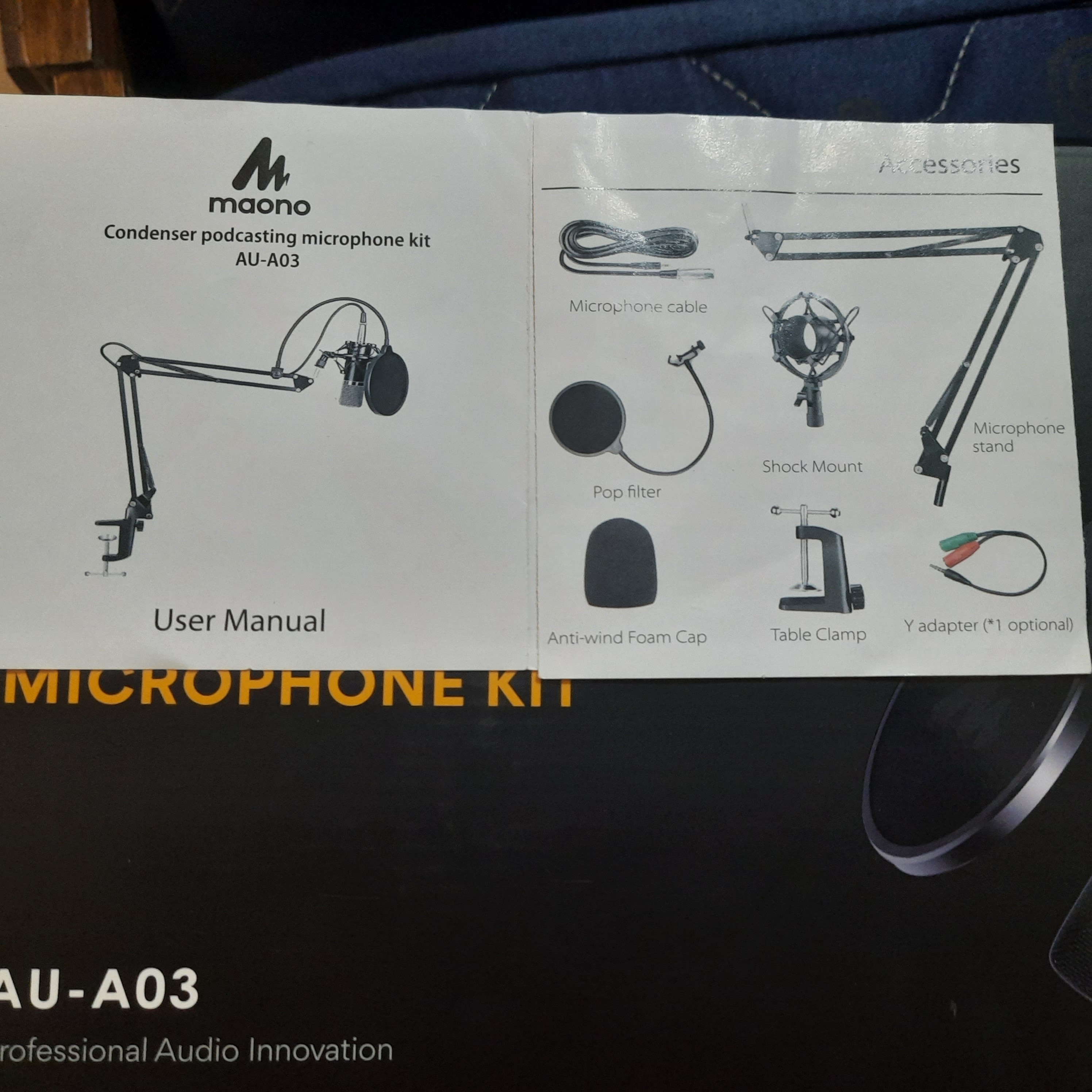
Mika
Hello Bhumika!!
Thanks a lot for reaching out and for sending the pictures.
I think we have found the problem to the quality of your audio. Unfortunately, the mic you are using is not that good at all, so the quality of your recordings will not sound professional with that equipment. USB mics are not good for voice overs, as the quality is not the best.
Please ensure you are using a professional microphone and equipment to record properly. We could suggest getting the
Audio-Technica AT2020 Cardioid Condenser and for a soundcard you would like to try a
Focusrite Scarlett Solo or some gear similar.
With this gear you will be able to get professional results. Unfortunately, there isn't that much to do to improve the quality as your mic is not suitable for getting professional results :(.
Hope this works for you.
Have an excellent week.
Gabriel