Audition Sample for Review

Hello VoiceBunny Team, Managers and Community,
I am submitting a sample of a voiceover for your review. https://drive.google.com/drive/folders/1ON8Ws9ufFToB0SqO0A4gcTCEURsI3i_o?usp=sharing
I did an audition to become a VB pro back in June/July, and I was rejected due to a reverberation sound in my sample, (turns out it was because I was near floor to ceiling windows despite the use of my Kaotica Eyeball). I have since moved to a new location, and would like to troubleshoot this problem before I submit again to become a VB pro.
Here are the things I am specifically looking for.
1. Do you hear the reverberation in the sample? Did you come across any other issues? I have yet to acoustically treat the room I am in, I wanted to submit a sample before I spend money on treatment. If you can suggest a solution, please do so. Links to sources that either provide good (and preferably cheapish) panels, or to articles that help instruct how to do this are most welcome. :)
2. Is the quality of the performance up to snuff? (Constructive criticism only please!)
Equipment is:
Imac Computer and Logic Pro X software
Focusrite Solo Preamplifier
Blue Bluebird SL Large-Diaphram Cardiod Condenser Microphone
Kaotica Eyeball
Thank you so much for your help!
A. Hardin
Please sign in to leave a comment.
Hello Adam, how are you?
Thanks a lot for being part of our community and being committed to improve the quality of your recordings :).
I'm glad you are willing to apply again to become part of our community of voice actors. I was listening to your sample and it does have a lot of reverberation/room echo. This is the most evident issue and it really needs to be improved to get approved by our QC team. From what I listen, I might guess you are recording in a large room without much cushion and furniture. But that is my guess :). To provide you detailed feedback on what might get the work done, I will appreciate if you could upload some pictures of the room where you are working.
Looking forward to hear from you. Hope you are having an excellent week!
Best,
Gabriel
Hello Gabriel,
I'm doing well, and thank you so much for your feedback.
Your intuition is correct, that the room is largely bare. I haven't yet acoustically treated the room. The space I have moved into is new and before I sunk more money into treatment, I wanted to test it on the community page first before I auditioned again as a VB Pro.
Here are a few shots of my workspace as per your request.
Please let me know if you require anything else to make an assessment.
-Adam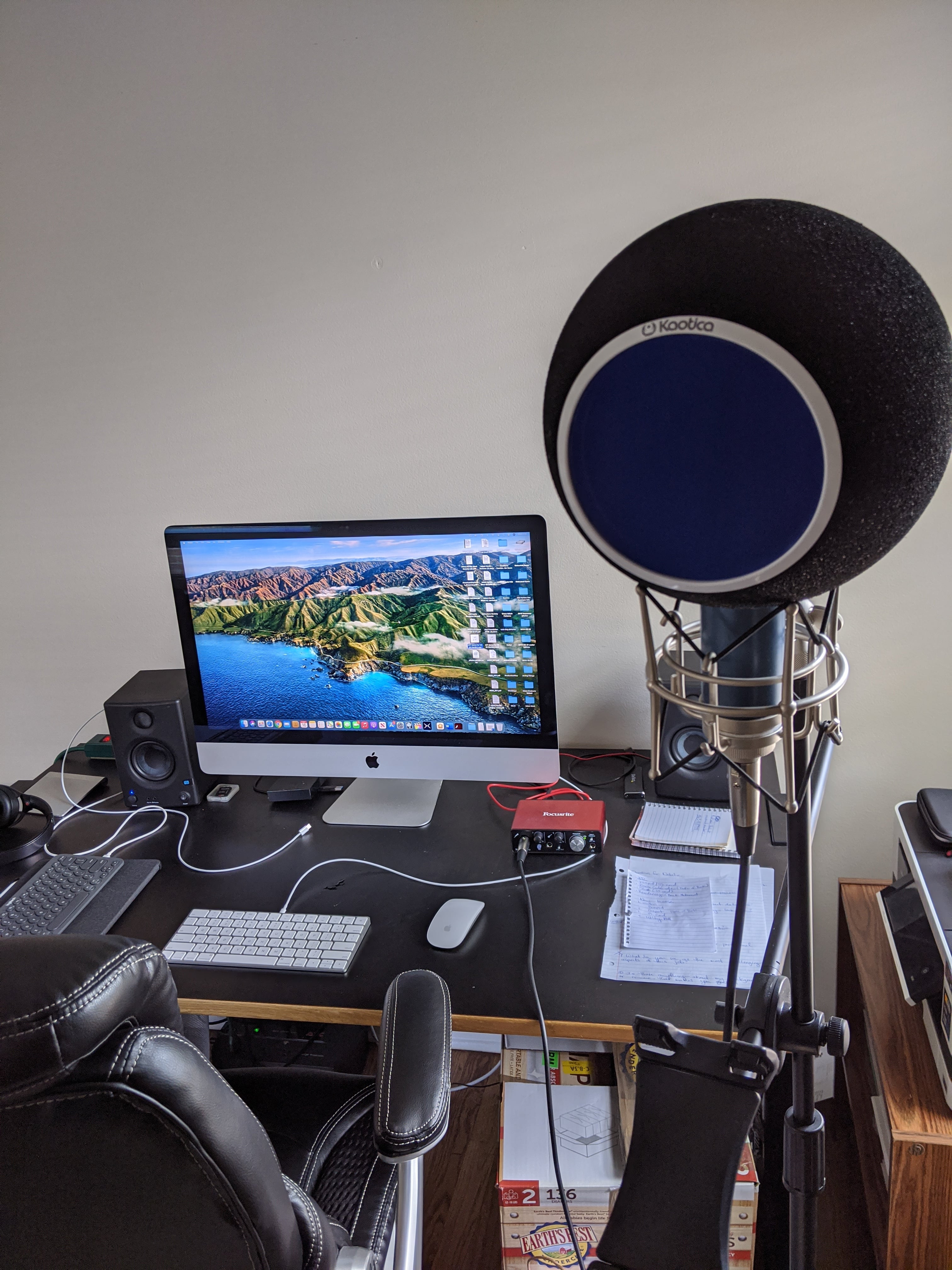
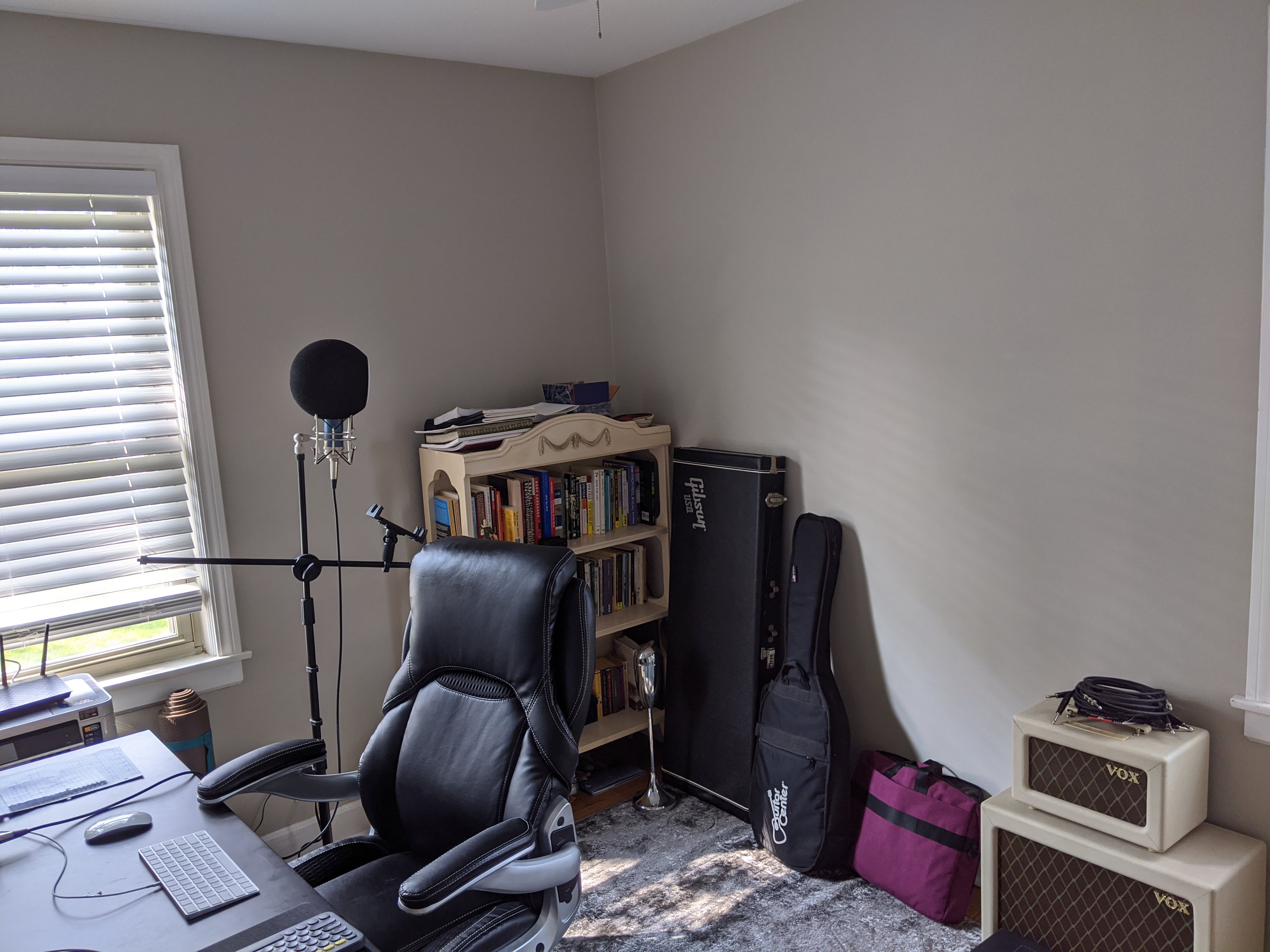
Hello Adam!
Thanks a lot for sending the pictures :). I see why there are a lot of reflections, as your room is large and it has a lot of walls.
However, there is one thing we could try before getting into buying more stuff. Taking into account that you have the Kaotica Eyeball, it is supposed that its job is to properly isolate your microphone from the environment. Personally I haven't used one before, but they advertise it as it is really making the job without needing to acoustically condition your space.
I was checking at their page and I noticed the following information:
I tried the Kaotica Eyeball and it doesn’t sound right?
The Eyeball is designed to isolate your microphone from the external environment and capture the full vocal spectrum of your voice. All recording spaces vary, but some spaces have many reflections and can even create an echo. The Eyeball can be very effective in reducing these reflections and ambience, it just may take a little extra setup and testing.
Make sure you are actively singing into the Eyeball, if you just leave your mic on inside of the Eyeball and simply listen, it will not work.
Ideally, the Eyeball and mic should be centered within the recording space or middle of the room, to allow for space so the reverberations can disperse through the air. Try setting up in different areas of the room to see what sounds best for you.
It is perceived that the Eyeball makes sound louder. The projection of your voice towards the microphone, allows the Eyeball to \ capture the true tonality of your vocal, making it sound louder. It may be necessary to adjust or turn down the input gain when using the Eyeball. If you are using a USB mic, adjust the gain on the mic, software, and interface.
If your recording space is less than ideal (concrete, windows etc), minor tweaks and additions could help. Try adding a rug under your mic stand or adding extra insulation around the recording space.
Adjusting the space between the vocalist and the Eyeball will affect the sound. Try different standing...
What I propose you here is to check the page information and see if we can make it with the Kaotica in order to avoid buying more stuff that maybe you don't need. Also, I would suggest maybe checking their support or FAQ because as far as my understanding goes, checking their page and how they advertise this product, supposedly it should work just fine with your setup.
If at the end we can't make it work, I will then proceed to suggest you which things you can get to start treating your room.
Please let me know your thoughts about it :)
Have a nice day.
Gabriel
Hi Gabriel,
Thank you so much, there is a lot of good information here.
I am going to check out the info page tomorrow when I have more time to devote to this and also do some sample testing around the room.
When I first came into the bare room that I am now using as my office, I did noticed a LOT of extra reverberation just with my spoken voice, so I will test out a couple of different things, post the results here and hopefully we can narrow it down.
I too thought that based on how the Kaotica Eyeball is advertised, that it should work fine with my set up. After testing tomorrow, if what I do doesn't produce any positive results, I might do some tests with the microphone itself to make sure there isn't an issue there. It's doubtful, but I want to cover all my bases.
Thank you for taking the time to troubleshoot this issue with me. It is greatly appreciated.
Adam
Hello Adam!
It's my pleasure :).
Sounds good. Let me know how the testing goes!
Have a nice weekend,
Gabriel
Hello Gabriel,
I hope you had a pleasant weekend.
I consulted the Kaotica FAQ, and recorded a couple of tests around my office.
https://drive.google.com/drive/folders/172iEDHLEcTj9buMMCc2DmPW2f_STyBwT?usp=sharing
Center of Room, Corner of Room, Center of Room 6" back.
Note: I have not normalized these files, when I did so to -3.db it was incredibly loud. Please let me know if you would like me to adjust the files and I will do so.
Thank you very much, and please let me know what you think.
Best,
Adam
Hello Adam! How are you?
Thanks a lot for sending out the new samples.
I was listening to the audios but unfortunately the issues mentioned previously are still present. I can really notice the room echo and the background noise (like a computer fan or something similar). The center of room and the corner room are the ones that are sounding better, but they aren't near to be approvable as per our QC standards.
I'm somehow astonished that the Kaotica is not making the work. As we discussed last week, they advertise it as if it is all what you need to be able to get professional recordings without any acoustic treatment. I guess that if we are not able to make it work, then the next step will be to get some acoustic treatment in your room that will help us improve the overall quality of your recordings.
Please let me know your thoughts about it.
Kind regards,
Gabriel
Hi Gabriel! I'm doing well, thank you for asking.
I've reviewed your notes, and I am also astonished that the Kaotica is not making this work. I want to post one more test: https://drive.google.com/drive/folders/172iEDHLEcTj9buMMCc2DmPW2f_STyBwT?usp=sharing
This should help us narrow down where there is an issue. I took off the Kaotica Eyeball and held a pop filter in front of it in the center of the room, and did a voice test. I have included that test in the link above called "Bare Microphone test vb", along with the other tests I submitted earlier this week. If you would be so kind, please give this one a listen and compare it to the other center of room file.
If you can hear a noticeable difference, then at least we know the Kaotica IS working, and I need to begin acoustically treating the room to bring the QC up.
If you cannot, then that might allude to a problem with the microphone, in which case I would need to see about it getting checked out by a technician.
Thank you so much for continuing to follow up with me on this issue. I very much want to get to the bottom of this and bring my room up to a high standard and your input is enormously helpful.
Best,
Adam Hardin
Hello Adam! How are you?
I was listening to the new sample and I'm sorry to tell you that the issues are still present :/. However, I don't think the issue has to do with the mic. What is happening here is a mere acoustic problem. Your mic is actually working fine because he is getting all the information from your room (reverberations and background noises). If your mic was damaged, probably it would be having troubles capturing all the information he is actually getting from your voice and surroundings.
What you have to do here in this case is to deal with the acoustics of your room. Usually, professional recording studios have acoustic conditioning that makes the 'frequency response' of a room totally 'dry' and 'flat', avoiding this type of reflections. You'll find tips on acoustic treatment on our community page: https://bit.ly/2MrNsSV.
Ideally, the Kaotica is a device that helps with this matter but I'm really confused of why is not working in this case. Maybe, you can try setting your mic with a different 'mode of response' (if it has the option) to see if this helps. Otherwise, I'm afraid we will need to get your room acoustic treatment done. For this, if you could send me more pictures of the space you will be working it would be nice to have an idea of how to setup the conditioning. Take into account that the bigger the room, the more acoustic conditioning you will need.
Looking forward to hear from you. Enjoy your weekend :)
Gabriel
Hello Gabriel,
I have thought a lot about this, and I am going to turn my adjacent closet into a small recording booth. I have attached pictures of the room. It would have been great to be able to sit at my desk, but this I think will be an option I am fine with.
The Closet Dimensions: 4'1" W x 7'9" H x 2'2" D
It will be a bit snug, but I think this will work. What do you think? How would you go about acoustically treating this space? Are bass traps necessary for a vocal booth?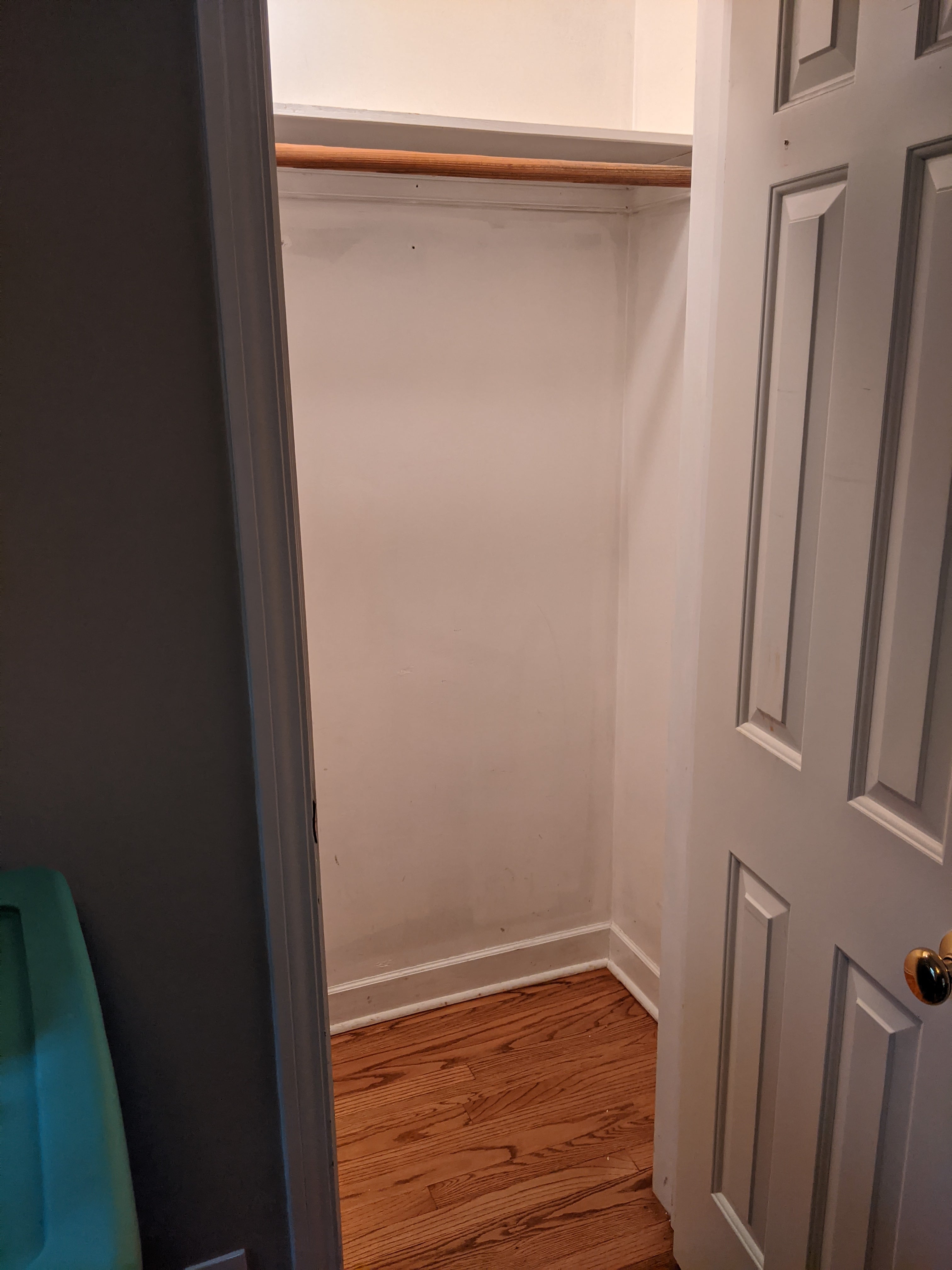
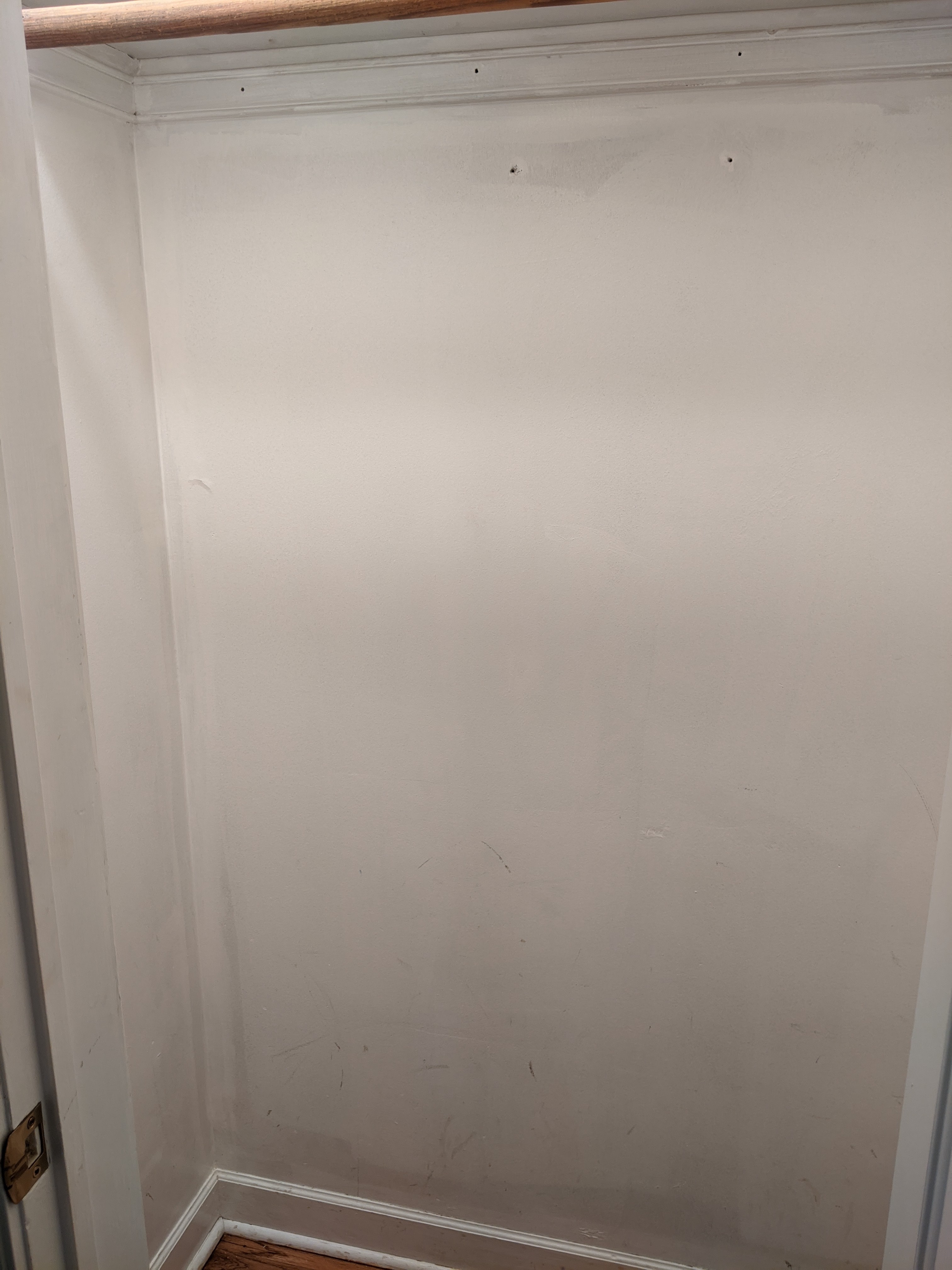
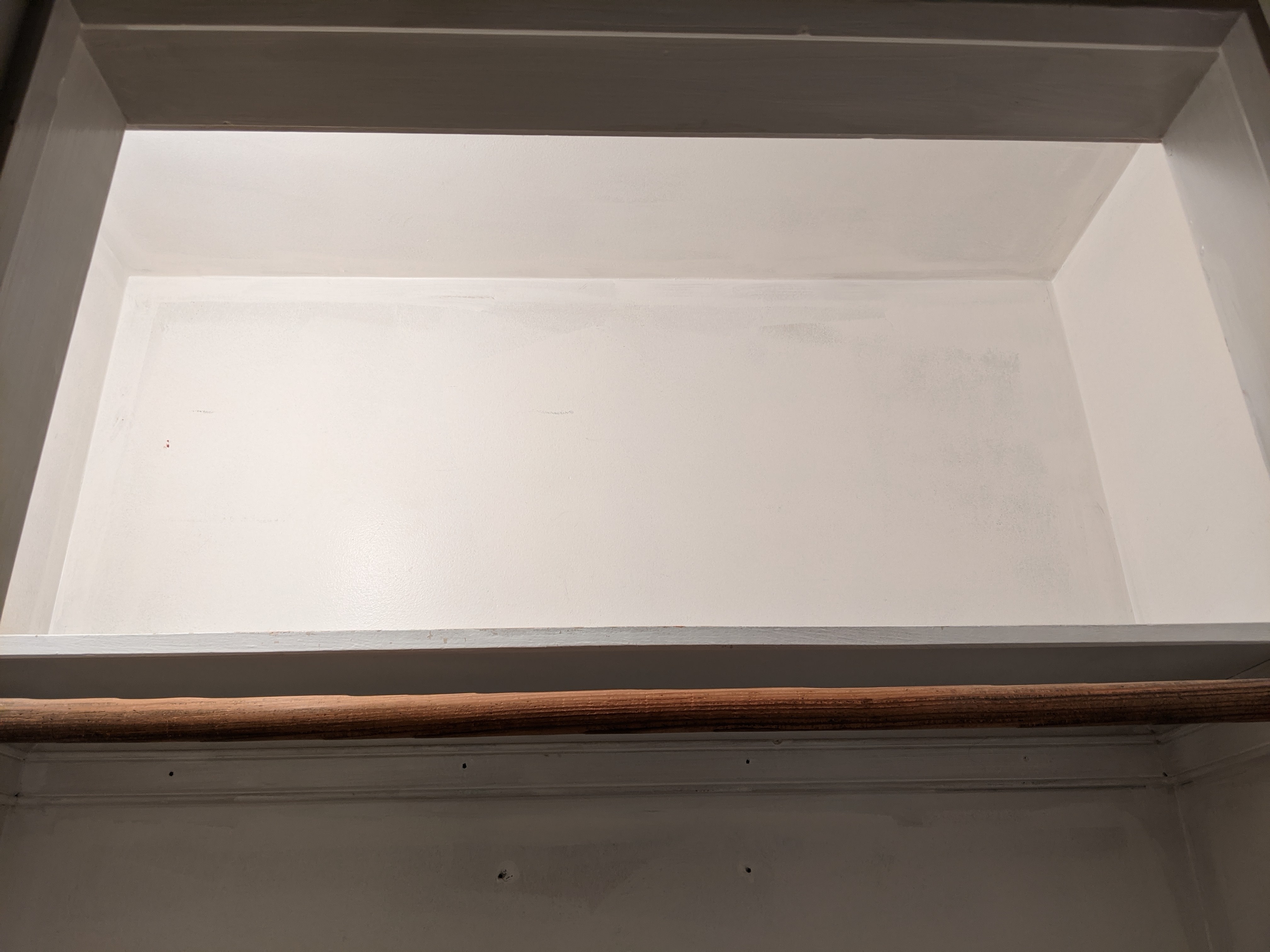
Best,
Adam H.
Hello Adam! Thanks a lot for sending the new pictures.
I was checking them and I'm a little bit afraid that the space might not be 100% ideal. I mention this because with acoustics you could face two issues in your recordings:
The first one is room echo, where there a lot of reverberations and reflections of your room being caught by your mic. The second one is 'boxiness'. Boxiness is also a type of reflection but this time because the recording sounds as if it was recorded in a very small space.
I mention this because you could try getting some acoustic conditioning and it might certainly work, however, we are at risk of facing this issue as well. You could try getting some acoustic foam for the walls, roof and corners and try to record in the center of the room using the Kaotica with the door open. When you are recording, try to hang some clothes outside to avoid any reflections coming from the outside room. This might work but the best thing to do right know is to experiment and see how the recordings sound.
Please let me know your thoughts about it.
Hope you have an excellent week!
Gabriel
Hi Gabriel,
Thank you for your feed back, that's interesting. I have some questions and thoughts that will steer me in a more definitive direction.
1) On using the closet, I was not aware of the potential boxiness sound. I do like the idea of treating the whole room but leaving the door open, and treating the outside slightly to make sure you minimize outside reflection or interference (my computer). If I go this route I will have to experiment.
2) So let's say that I didn't want to use this closet available, and had to augment what I already have in my office. What would you suggest I do in that case? My room includes two mid sized windows so I would have to put fabric drapes over them, but could I get some tall acoustic panels to set my mic+Kaotica behind, or would I need to treat the whole room? The room is 11' x 8'6".
Thank you again for your feedback.
Adam H.
Hello Adam!
Hope you are doing well :).
First of all, treating all the closet sounds nice. That could possibly work, but as I mentioned, it is also needed some experimentation as the acoustic response will depend also on the materials that the surfaces are made of. Usually, to make a professional sounding booth, there are always some measurements and tests that are done in order to make it sound 100% right. As this is not our case, we should refine our acoustics with trial and error. It should not be difficult but it requires some patience.
For the second idea, please be aware that the best idea could be to setup a space on your large room and decide to create your own vocal booth. Here is a video explaining how to do it: https://www.youtube.com/watch?v=D9pHxVCkof4
You could try crafting something similar, as treating the whole room would be somehow tedious and inefficient as well.
Please let me know your thoughts about it :).
Gabriel