Where's the feedback?

Received a "Client Feedback" email.
Clicked on it to go to see the feedback. Took me to my profile page. Didn't see the dedicated "Feedback" tab.
Clicked on ratings. It showed me a list of samples.
Went to the top of the page and the drop down menu. Clicked on Profile. Took me to the same profile page with no Feedback tab.
Is there a listing of the client feedback anymore? And if so, where is it now?
Thanks
Please sign in to leave a comment.
Hi Mark,
Thank you for using this space!
Please follow this link: https://bunnystudio.com/voice/profile/mark-chen-1RI7O68
There you'll be able to see all the feedback you've received for your work.
Hi Mark, following up on your question, we just tried again the same link and it worked:
https://bunnystudio.com/voice/profile/mark-chen-1RI7O68
Please, remember that we can follow up in this thread, no need to create a new one for the same topic.
Another solution would be to delete cache and cookies on your browser and see if that helps with your URL request
When I am logged in, go to the upper right drop down menu and click on Profile, I get a client side view.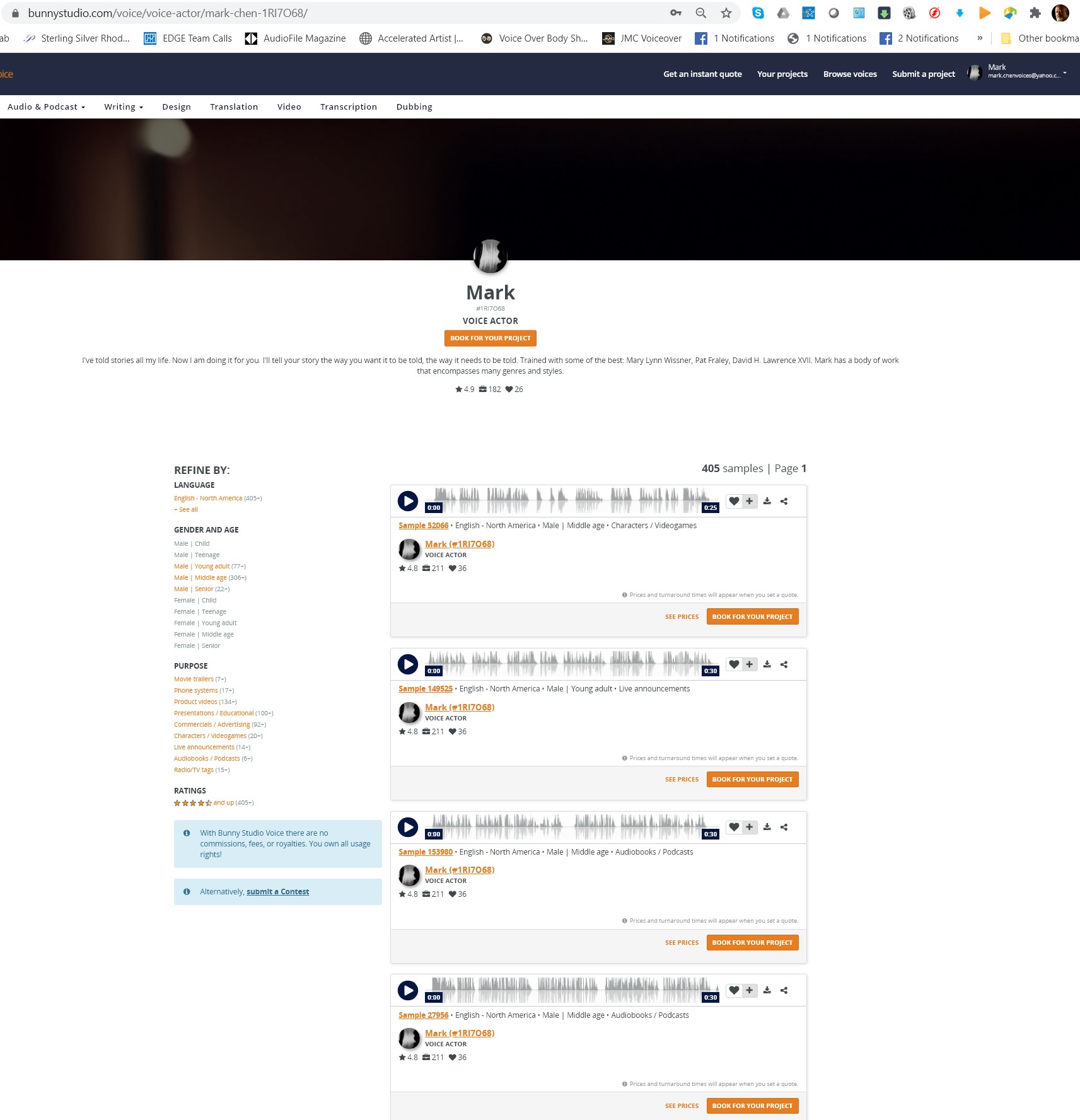
Hi Mark,
If you compare the URL you're trying to access vs the one we're sending you, you'll find that those are different, that's why it is important you follow the one we sent you instead of going through the dropdown menu.
Please click on the URL we sent you
So in digging a little deeper into the problem, it appears that the url associated with the "Your Profile" in the drop down menu is this:
https://bunnystudio.com/voice/profiles/view/'
Which is why I end up not seeing my view of my profile, but a customer side view of it. So something changed in your programming.
It would be great to be able to the the talent view of the profile page without having to find a separate link.
BTW, the link you provided in the email shows up as this:
https://bunnystudio.com/voice/profile/mark-chen-1RI7O68%C2%A0
which gives the 404 error.
Shortening it to this:
https://bunnystudio.com/voice/profile/mark-chen-1RI7O68
gives the correct page.
I wonder if any others have experienced the same thing.
Thank you for sharing your thoughts with us, Mark.
Indeed, our engineers are currently working on some changes on those pages, that's why we provided you with a differnt link while they work on that release.
We've had a couple of Pros asking about the same thing, the best way to go about it has been sharing the new URL and things seems to go as expected.
It's not just you Mark. I noticed the same issue a couple weeks ago. Still the same results. If I browse the site as a client would, I can see the star ratings of talent, but not the actual reviews. Nor can I see my own reviews from the typical location in my profile.
Thank you for joining our community, Guy!
As I mentioned before, our engineers are currently working on profiles, in the meantime, you'll be able to see your reviews here:
https://bunnystudio.com/voice/profile/brad-everett-2TQGEC4
Please follow that link and let me know how that goes
Hey there, it's 3 weeks later and still not fixed.
When I click to get to my side of the profile, I still get this URL:
https://bunnystudio.com/voice/voice-actor/mark-chen-1RI7O68/ ,
the client facing page and not this one:
https://bunnystudio.com/voice/profile/mark-chen-1RI7O68/
the voice actor page.
Do you have an ETA for the fix?
Hi Mark,
The first link is so clients may see your samples and the second one is for you to check your reviews.
Our team is still working on those profiles but we don't have an estimate yet, it should be released very soon.